
Noun Town Language Learning
- Platform
- PC
- Release Date
- File Size
- 1.61 GB
- Views
- 1,442
- Comments
- 1
- Languages
- English
- Added by
- Added by Admin
Game trailer: Noun Town Language Learning
Screenshots


Description
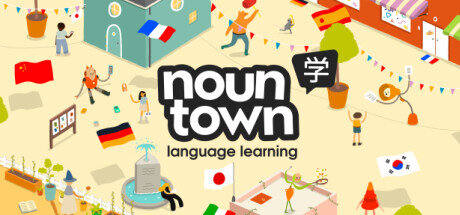
Noun Town Language Learning is a fun game designed to help players learn a new language. You find yourself in an amazing city, where every building and location is called a specific word a noun. Your task is to communicate with the residents of the city, use these nouns in different contexts and create sentences. This way, you not only remember new words, but also improve your grammar and vocabulary skills. The main goal of the game is to go through various levels to learn all the necessary names of objects and places in the city. Each level offers exciting tasks that include translating words, writing sentences and listening.
The game will offer you different modes that will help you develop different language skills. For example, in the «Match» mode, the player must connect objects with their corresponding names in the language. In the Sentence Builder mode, players are asked to construct a sentence using given words in the language they are learning. One of the main aspects of the game is the visual component. All objects in the city are presented in bright colors and detailed images, which allows players to easily remember words and associate them with objects. The game will help you develop vocabulary, grammar skills and listening comprehension. With a variety of activities and interactive features, you’ll feel engaged in your language learning process.
NOTE. Uploaded version: 21 May 2026 [Build 17148132]. This is Full Release and latest version of game. The game is already Pre-Installed and ready to run, read the instruction below.
System Requirements
Minimum
- OS:
- Windows 10 (64-bit)
- Processor:
- AMD Ryzen 5 3600 (6 core with 3,5 Ghz) or Intel i5-10400F (6 core with 2,9 Ghz)
- RAM:
- 8 GB RAM
- Graphics:
- Radeon 6500XT (4GB) or Nvidia GTX 1660 (4GB)/1060 (6GB)
- Storage:
- 4 GB available space
- DirectX:
- Version 11
Recommended
- OS:
- Windows 10 (64-bit)
- Processor:
- AMD Ryzen 5 3600 (6 core with 3,5 Ghz) or Intel i5-10400F (6 core with 2,9 Ghz)
- RAM:
- 16 GB RAM
- Graphics:
- Radeon 6600XT (8GB) or Nvidia GTX 1660 Ti (6GB)
- Storage:
- 4 GB available space
- DirectX:
- Version 12
Installation Guide
Step-by-step setup process for TENOKE
-
Mount the .iso image — Windows 10/11 mounts it from the right-click menu, otherwise use Daemon Tools or a similar tool.
-
Run
setup.exefrom the disc and install the game — Tenoke builds are already cracked, installation is all it takes. -
If the disc contains a
Tenokefolder, copy its contents into the installed game directory. -
Launch the game from the desktop shortcut (as administrator).
Game Info
Download Game
Full game 2
393cf6e9e28ff8e3897c4c233390d68a
b2fdfa3b3f386d9de05a5100f942de0c5111696773baa15046336234409f2714
Checksums verify the integrity of this specific file. They are not an absolute malware guarantee — always scan downloaded files.
Torrent file ready
Reviews
No written reviews for this game yet.
Rate this repack in the form below and your comment becomes the first review here.





Comments (1)
NEW -> Progress page added!- You can now track your progress on a dedicated screen- Stay motivated and keep learning with this extra info- It also shows you what content you still need to discover in the game
NEW -> Steam achievements added - can you unlock them all?
NEW -> Settings panel added to show you what keys / buttons do what in the game
IMPROVED-> Avoid revision overload with SRS reviews now limited to 30 words / phrases per review session (note: you can still do as many revision sessions as you like)
IMPROVED-> In-game DICTIONARY now easier to navigate and review your learning
IMPROVED-> FABRICATOR expanded so it\'s quicker to locate the items you want to spawn on demand
Plus these bug fixes & quality of life changes...- Resolved an issue where Chinese players sometimes couldn\'t do speech rec if they hadn\'t chosen Chinese for the UI / menu language- Added all directions words to the SRS- Rescaled the text size on the Inbox messages to improve readability- Added an end of game celebration(!)- Made all items in the supermarket easily accessible- Addressed an issue with Pishi rotating the wrong way when in conversation- Fixed the \"skip\" button when in Lessons- Improved menu / sub-menu navigation on Steam Deck- Fixed an issue with one Lesson where three NPCs partake- Various fixes to animals misbehaving- Changed the sprite used to represent Questions in the SRS- Fixed a bug where the inbox messages don\'t work after switching to another tab- Added pagination to the list of Lessons- Fixed a minor issue with the Streak system- Fixed an issue where interaction with a Chromoemitter interfered with the game music