
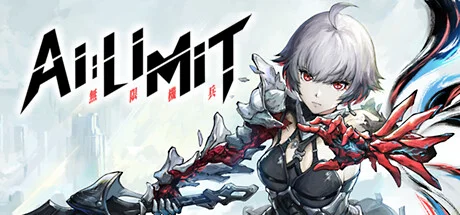
AI LIMIT
- Platform
- PC
- Release Date
- File Size
- 16.99 GB
- Views
- 7,617
- Comments
- 2
- Languages
- English, German, Spanish - Spain, Japanese, Korean, Simplified Chinese, Traditional Chinese, Portuguese - Brazil, French
- Added by
- Added by Admin
Game trailer: AI LIMIT
Screenshots


Description
AI LIMIT — in the city of Heavenswell, the last refuge of people, the world is in chaos after disasters and wars. The city is filled with a mysterious substance known as the Mud, and dangerous creatures. Your task is to take on the role of a Blader, a new life form created using mysterious technology. Bladers are similar to humans, but have unique abilities, including the ability to revive thanks to the powers of the Branches, which must be restored after destruction. Immerse yourself in exciting real-time battles, where every action matters and can affect the outcome of the battle. Use the unique abilities of your character, including the ability to revive after death, to overcome obstacles and enemies.
Immerse yourself in the dark streets and dangerous corners of the city, exploring its secrets and trying to survive in a world filled with dangers. Improve the skills and abilities of the Blader to become stronger and more effective in battle. Immerse yourself in the post-apocalyptic world of Heavenswell, filled with mysterious technology and dangers. Explore Blader’s unique revival mechanic and use it to your advantage to overcome the game’s challenges. Uncover the secrets and mysteries of the world of AI Limit by following the story and interacting with a variety of characters.
NOTICE — Launched on 27 March 2025 [Build 225212502]. This is the Full Release and the latest version of the game. The game is already Pre-Installed and ready to run the game, read the instruction below.
DLC:
- Deluxe Edition Upgrade Pack
- Pre-Order Bonus
- Eirenes Furnace of War
System Requirements
Minimum
- OS:
- Windows 10 64-bit
- Processor:
- Intel Core i5-8400 / AMD Ryzen 5 1600
- RAM:
- 12 GB RAM
- Graphics:
- NVIDIA GeForce GTX 1060 6GB / AMD Radeon RX 580 8GB
- Storage:
- 30 GB available space
- DirectX:
- Version 11
- Sound Card:
- Windows Compatible Audio Device
Recommended
- OS:
- Windows 10 64-bit
- Processor:
- Intel Core i7-9700 / AMD Ryzen 5 5500
- RAM:
- 16 GB RAM
- Graphics:
- NVIDIA GeForce RTX 3060 / AMD Radeon RX 5700 XT
- Storage:
- 30 GB available space
- DirectX:
- Version 12
- Sound Card:
- Windows Compatible Audio Device
Installation Guide
Step-by-step setup process for P2P Release
-
No installation is needed — this release is fully pre-installed and ready to play, so you can skip setup wizards and long updates entirely.
-
Extract the archive (RAR/ZIP) to a short, Latin-only path like
C:\Games\GameNameusing WinRAR or 7-Zip — and never launch the game from inside the archive, as that is the top cause of launch failures. -
Launch the game via Run Me!.bat (or the main
.exefile) in the game folder. If nothing happens, right-click it and choose Run as administrator.
Game Info
- Developer
- Sense Games
- Publisher
- CE-Asia
- Platform
- PC
- Release Date
- File Size
- 16.99 GB
- Status
- Pre-installed (Portable)
Download Game
Full game
ef402ca5a12a664f2ccbd6fe88c921a0
e1ab1d674c06754f528838028f8e5945c491adbee70d4e8ce22523e352cd331a
Checksums verify the integrity of this specific file. They are not an absolute malware guarantee — always scan downloaded files.
Torrent file ready
Reviews
No written reviews for this game yet.
Rate this repack in the form below and your comment becomes the first review here.





Comments (2)
1. Systems
·Arrisa’s spell slots have been increased from 1 to 3, with a new Switch Spell button added (default: D-pad Down on controller / C on keyboard).
·To accommodate the new Switch Spell button, the default button for Map/Notebook has been changed to Touchpad (DualSense) / Select (Xbox controller).
·Added a new option in the settings menu: Automatically Lock-on After Landing a Melee Attack. This feature is disabled by default and can be toggled on or off.
·Fixed an issue where sprint input could not be buffered under certain control configurations.
2. Combat
·Improved animations and behavior for certain support characters.
·Added edge protection during attack animations to prevent players from accidentally falling off ledges with significant height differences.
3. Visuals & Performance
·Optimized performance in certain areas.
·Fixed various visual issues.
4. Miscellaneous
·Fixed incorrect damage calculations and parameter issues for certain enemies.
·Fixed text errors and localization issues in some languages.
·Improved map loading logic to reduce the occurrence of infinite loading on certain hardware configurations.
·Added Italian and Polish language localization.
※AI LIMIT – Technical Troubleshooting FAQ
Q: The game gets stuck on “Compiling Shaders,” freezes on a black screen, or shows a Unity error and won’t launch. What should I do?
A: This issue may be caused by insufficient VRAM. If your GPU has less than 6GB of VRAM (the minimum requirement), the game may not run properly due to hardware limitations.
You can try lowering the resolution to mitigate the issue. For example, in Steam:
Properties → Launch Options, enter:
-w1280 -h720
If the game launches successfully, please set the in-game resolution to 720p.
Q: The game gets stuck in infinite loading or freezes when loading a save or fast traveling. What can I do?
A: This may be caused by minor corruption in the game data or save files, possibly related to Steam Cloud or GPU load. You can try the following:
Verify the integrity of game files, then restart the game, or reinstall via Steam.
In Steam Settings → Downloads, disable Shader Pre-Caching to reduce GPU load during loading.
Right-click the game → Properties, disable Steam Cloud, then restart Steam.
Q: Issues such as fog gates not disappearing after a boss dies, incorrect boss HP, bosses getting stuck, camera freezing, or enemies not dropping crystals—how can these be fixed?
We sincerely apologize for the bugs encountered at launch.If you experience any of the following issues, please exit Steam and update the 6.5GB patch:·Main menu text not displaying·Stuck in the Lore Boss fight·Deluxe Edition reward chest not appearingIf you continue to experience black screen issues, achievements not unlocking, infinite loading, or missing Russian text after updating, please try the following:·Right-click the game in your Steam library → Select \"Properties\" → Go to \"Installed Files\" → Click \"Verify integrity of game files\"·Open Steam settings → Go to the \"Downloads\" section → Disable \"Enable Shader Pre-Caching\" to improve performanceIf the issue persists, please uninstall and reinstall the game.Additionally, if the \"Language Selection\" screen at the start does not display Russian, please select another language to enter the game, then switch to Russian in the \"Game Settings\" menu.We sincerely apologize for any inconvenience caused.