
Potion Shop Simulator
- Platform
- PC
- Release Date
- File Size
- 1.51 GB
- Views
- 4,642
- Comments
- 0
- Languages
- English, French, Italian, German, Spanish - Spain, Polish, Turkish, Russian, Portuguese - Portugal
- Added by
- Added by Admin
Game trailer: Potion Shop Simulator
Screenshots


Description
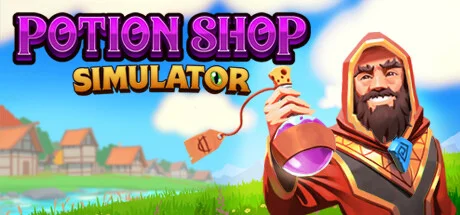
Potion Shop Simulator takes players into the intricate world of alchemy and potion making. As the owner of a potion shop, gamers must manage resources, create various potions, and serve customers with special needs. The core mechanics of the game involve experimenting with ingredients to create effective potions while balancing the needs of the business. Management requires close attention to detail. Players must monitor inventory, ensuring that they have the necessary ingredients to satisfy customer requests. Strategy comes into play when deciding which potions to prioritize based on customer feedback and changing market demand. Each decision can impact success or failure, so resource management is crucial to progress.
Potion Shop Simulator also offers plenty of challenges and development opportunities. As players progress, they can unlock new recipes and elements, expanding the range of products they can make. These new abilities provide the opportunity to experiment with more complex formulas, providing a sense of progression throughout the story. In this simulator, success depends on the user’s ability to find a balance between creativity and efficiency.
NOTE. Uploaded version: 16 March 2025 [Build 17722991]. This is Full Release and latest version of game. The game is already Packaged in ISO File and ready to run the game after install, read the instruction below.
System Requirements
Minimum
- Processor:
- Intel Core I5 6600 @ 3.3GHz
- RAM:
- 4 GB RAM
- Graphics:
- Nvidia GeForce GTX 960
- Storage:
- 2 GB available space
- DirectX:
- Version 11
Installation Guide
Step-by-step setup process for TENOKE
-
Mount the .iso image — Windows 10/11 mounts it from the right-click menu, otherwise use Daemon Tools or a similar tool.
-
Run
setup.exefrom the disc and install the game — Tenoke builds are already cracked, installation is all it takes. -
If the disc contains a
Tenokefolder, copy its contents into the installed game directory. -
Launch the game from the desktop shortcut (as administrator).
Game Info
- Developer
- Pebbles Games, Bird Pals SIA
- Publisher
- Pebbles Games
- Platform
- PC
- Release Date
- File Size
- 1.51 GB
- Status
- Scene (ISO)
Download Game
Full game
b34a9f5296cb12bb4007f47d5eef587c
76e1c15dc68afd29646aed435bef8cca88ce4423af33314f486584712da4a9c2
Checksums verify the integrity of this specific file. They are not an absolute malware guarantee — always scan downloaded files.
Torrent file ready
Reviews
No written reviews for this game yet.
Rate this repack in the form below and your comment becomes the first review here.






Comments (0)
No comments yet. Be the first to leave one!