
Spire Blast
- Platform
- PC
- Release Date
- File Size
- 596.86 MB
- Views
- 2,708
- Comments
- 0
- Languages
- English, French, Italian, German, Spanish - Spain, Arabic, Traditional Chinese, Simplified Chinese, Dutch, Japanese, Korean, Polish, Russian, Turkish, Portuguese - Brazil
- Added by
- Added by Admin
Game trailer: Spire Blast
Screenshots


Description
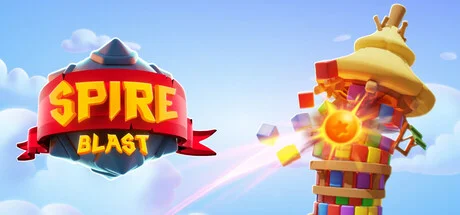
Spire Blast is a physics-based puzzle game developed by Orbital Knight that combines elements of action, casual, indie, and strategy. Players team up with a hungry dragon companion to destroy mysterious towers that rise up in a colorful kingdom. The core gameplay involves shooting colored bricks to create matches and chain reactions that cause the towers to collapse piece by piece. As the game progresses, the towers become more complex, with new types of bricks and challenging puzzles that require strategic planning and forethought. The game features striking minimalist visuals, satisfying destruction physics, and a soothing soundtrack that enhances the experience. With powerful boosters to unlock and numerous unique levels to conquer, Spire Blast is an accessible yet deceptively deep puzzler suitable for players of all skill levels and ages.
NOTE. Uploaded version: 30 April 2025 [Build 18056240]. This is Full Release and latest version of game. The game is already Packaged in ISO File and ready to run the game after install, read the instruction below.
System Requirements
Minimum
- OS:
- Windows 10 (64-bit versions only), Windows 11 (64-bit versions only)
- Processor:
- Intel Core i3 @ 2.5GHz or AMD Phenom @ 2.5GHz
- RAM:
- 4 GB RAM
- Graphics:
- NVIDIA GeForce GTX 460 or ATI Radeon HD 5850
- Storage:
- 1 GB available space
- DirectX:
- Version 11
Recommended
- OS:
- Windows 10 (64-bit versions only), Windows 11 (64-bit versions only)
- Processor:
- Intel Core i5 @ 3.2GHz or AMD @ 4.0GHz or better
- RAM:
- 8 GB RAM
- Graphics:
- NVIDIA GeForce GTX 760 or AMD R9 270X or better
- Storage:
- 1 GB available space
- DirectX:
- Version 11
Installation Guide
Step-by-step setup process for TENOKE
-
Mount the .iso image — Windows 10/11 mounts it from the right-click menu, otherwise use Daemon Tools or a similar tool.
-
Run
setup.exefrom the disc and install the game — Tenoke builds are already cracked, installation is all it takes. -
If the disc contains a
Tenokefolder, copy its contents into the installed game directory. -
Launch the game from the desktop shortcut (as administrator).
Game Info
- Developer
- Orbital Knight
- Publisher
- Orbital Knight
- Platform
- PC
- Release Date
- File Size
- 596.86 MB
- Status
- Scene (ISO)
Download Game
Full game
a3be0d0ffa6d8e32506e63323e4c293a
5d82e54bde459c2f0fe0936785c09ad1775949656dc7ec651da0865a2db58fc9
Checksums verify the integrity of this specific file. They are not an absolute malware guarantee — always scan downloaded files.
Torrent file ready
Reviews
No written reviews for this game yet.
Rate this repack in the form below and your comment becomes the first review here.




Comments (0)
No comments yet. Be the first to leave one!