
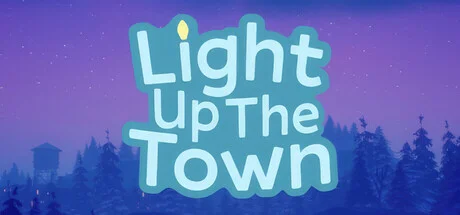
Light Up The Town
- Platform
- PC
- Release Date
- File Size
- 9.89 GB
- Views
- 5,306
- Comments
- 2
- Languages
- English
- Added by
- Added by Admin
Game trailer: Light Up The Town
Screenshots


Description
Light Up The Town is a cozy project whose main goal is to create a festive atmosphere in a small town on the eve of the winter festivities. The process of transforming the town offers complete freedom to bring your creative ideas to life. Colorful garlands can be placed with a simple click of the mouse, and each decorative element can be precisely adjusted for size and rotation. The protagonist is a young ferret named Bean. Exploring the snowy streets is rewarded with hidden coins. This in-game currency can be exchanged for even brighter and more varied decorations, expanding the arsenal of available decorative tools. Bean also delivers gifts to other town residents.
The plot takes place in the fictional settlement of Bellflower, located in Colorado. The entire story of Light Up The Town revolves around the sudden illness of local electrician Chuck. Due to his illness, he is unable to prepare the town for the annual Winter Festival. The responsibility for decorating the streets and saving the holiday from the approaching snowstorm falls on his daughter. It is up to her to bring light and joy back to the homes of the anthropomorphic animals that inhabit this world. The game can be viewed from either first- or third-person perspectives.
NOTE. Uploaded version: 9 December 2025 [Build 21109423] + Update v1.1.0. This is Full Release and latest version of game. The game is already Packaged in ISO File and ready to run the game, read the instruction below.
Key Features
- Placing festive garlands and decorations across more than 10 levels.
- Finding and collecting hidden coins to unlock new content.
- Delivering gifts to residents to enhance the holiday spirit.
System Requirements
Minimum
- OS:
- Windows 10 64-bit
- Processor:
- Intel Core i5-3570 or AMD equivalent
- RAM:
- 8 GB RAM
- Graphics:
- NVIDIA GeForce GTX 1060 (3GB) or AMD Radeon RX 580 (4GB)
- Storage:
- 10 GB available space
- DirectX:
- Version 12
Installation Guide
Step-by-step setup process for TENOKE
-
Mount the .iso image — Windows 10/11 mounts it from the right-click menu, otherwise use Daemon Tools or a similar tool.
-
Run
setup.exefrom the disc and install the game — Tenoke builds are already cracked, installation is all it takes. -
If the disc contains a
Tenokefolder, copy its contents into the installed game directory. -
Launch the game from the desktop shortcut (as administrator).
Game Info
- Developer
- Meadow Studios
- Publisher
- Meadow Studios
- Platform
- PC
- Release Date
- File Size
- 9.89 GB
- Status
- Scene (ISO)
Download Game
Full game 3
984003759fc7986e47c326d244590877
ae69e91155fb7c1cac40267a48b4b91d9b8afc87e8b3f3770f20c212a5384264
Checksums verify the integrity of this specific file. They are not an absolute malware guarantee — always scan downloaded files.
Torrent file ready
Reviews
No written reviews for this game yet.
Rate this repack in the form below and your comment becomes the first review here.






Comments (2)
Update 4 - 1.1.0 - The Gum Drop! Happy Saturday! Here\'s a new update for you that includes lots of fixes, new decorations, and more! Enjoy! Happy decorating, Peter & Riley 1.1.0 - - decorations can now be placed on other decorations! - gum drops! - purple lights! - candy cane lollipops! - boundary fixes in various maps - decoration rotation fixes - houses fixed on mccallister st - decoration mesh fixes/polish - added tutorial for decoration adjustment - added help/tips menu (find in pause menu) - starting placement fixed on sagebrush - added/fixed decoration photos (orange and green lights, garland)
1.0.3 - little fixes- various boundary / collision fixes- visual glitch fixes- adding more / fixing coins- store bell fix- hedge maze Happy decorating!-Peter & Riley