
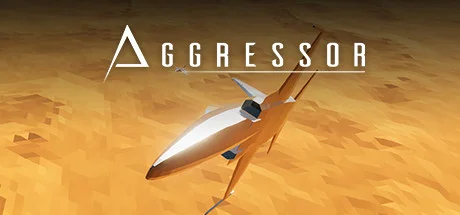
Aggressor
- Platform
- PC
- Release Date
- File Size
- 442.64 MB
- Views
- 3,601
- Comments
- 1
- Languages
- English
- Added by
- Added by Admin
Game trailer: Aggressor
Screenshots


Description
Aggressor is an arcade flight simulator and action game with a rear-facing perspective and minimalist 3D graphics. It offers the opportunity to fly 30 aircraft. The fleet includes Cold War-era aircraft, prototypes, and models created by the developers. These imaginary vehicles have unique flight characteristics and special behavior in the air. This indie project boasts a sophisticated damage system. It is designed exclusively for single-player battles against bots. Artificial intelligence can sometimes pose a challenge. Controls are optimized for keyboard and mouse use. Gamepad support is only partial. Free camera rotation is available.
Aggressor offers two modes to choose from. In the Campaign, you can play through various missions in sequence, including training levels. Completing missions rewards a special currency that can be spent on aircraft. Aircraft can be equipped with various weapons. New weapons become available as you progress through the research tree. These include guns, missiles, and bombs. They also cost money. Quick Battle allows players to customize the battle's parameters and dive right into the thick of the action. Here, players can choose a map, set the time of day, determine the battle's altitude, and customize their own and enemy aircraft.
NOTE. Uploaded version: 11 January 2026 [Build 21430686]. This is Early Access Release and latest version of game. The game is already Pre-Installed and ready to run the game, read the instruction below.
System Requirements
Minimum
- Processor:
- 32-bit, 2GHz or higher
- RAM:
- 8 GB RAM
- Graphics:
- GeForce GT710
- Storage:
- 1 GB available space
- DirectX:
- Version 11
Recommended
- OS:
- Windows 10
- Processor:
- 64-bit, 4GHz or higher
- RAM:
- 8 GB RAM
- Graphics:
- GeForce GTX1650 Super HDMI
- Storage:
- 2 GB available space
- DirectX:
- Version 11
Installation Guide
Step-by-step setup process for P2P
-
The game is distributed already pre-installed — you will not find an installer here, and none is needed.
-
Unpack the RAR/ZIP archive with WinRAR or 7-Zip, for example to
C:\Games\GameName. -
Launch the game via
Run Me!.bator the main .exe inside the extracted folder.
Game Info
- Developer
- Flashpoint Studios
- Publisher
- Flashpoint Studios
- Platform
- PC
- Release Date
- File Size
- 442.64 MB
- Status
- Pre-installed (Portable)
Download Game
Full game
7cbade6c08354c2d02b33d623246eca7
883cf11dbbdb0df0ebf08a7dd60cab296c7af3aa6f893d3004139208057bb00e
Checksums verify the integrity of this specific file. They are not an absolute malware guarantee — always scan downloaded files.
Torrent file ready
Reviews
No written reviews for this game yet.
Rate this repack in the form below and your comment becomes the first review here.





Comments (1)
Aggressor\'s Mission BuilderIf your idea of a fun Saturday afternoon includes things like: pulling out your own hair, throwing your laptop out of a window or catching a glimpse of success only to have it taken away 2 minutes later, then you\'ve come to the right place. So you want to make your own missions? Well you can, technically, but at the same time you can\'t. Welcome to my guide on the mission builder and why you probably shouldn\'t use it for now. The mission builder was for a long time meant to be for me only. This means there are some serious bugs getting in the way of a smooth user experience. Because it is part of the game and available for players, I\'ll go over how to use it here to hopefully make the experience a bit better for those who want to give it a go. We\'ll start off simple and go from there to more advanced concepts.Starting OffBefore you do anything else, you need to be in a mission. Open the side panel by pressing Escape and click on the file icon at the top. You\'ll see a bunch of settings you can mostly ignore except for one: the world option. Click on it to set it to \"prefab\". The procedural mode will just break the game as far as I\'m aware. Select a map from the dropdown and it will load immediately. For this tutorial I will go with the Drylake map since it offers perfectly flat ground in the center which will be important for when we make a simple airport later. Missions are stored in C:/users/(name)/appdata/locallow/Flashpoint/Aggressor/customs/missionsAdding the Player AircraftCongratulations, you have a mission environment now! Use WASD to move around and your mouse to look. Space and shift control up/down movement. Holding \"F\" makes your speed increase 10x.Before a mission can be flown, it is absolutely necessary to assign a player aircraft. The mission wont be playable if you don\'t. Don\'t worry, after you\'ve set the player aircraft for the first time, the builder will from that point onwards ensure there is always at least one player. That means you\'re free to delete the player aircraft later, as the player will just be automatically reassigned to another aircraft. You cannot delete an aircraft if it\'s the only one left in the mission, because that would mean there is no player. The mission builder guards against this by not letting you.