
Greenhearth Necromancer
- Platform
- PC
- Release Date
- File Size
- 884.51 MB
- Views
- 1,959
- Comments
- 0
- Languages
- English
- Added by
- Added by Admin
Game trailer: Greenhearth Necromancer
Screenshots


Description
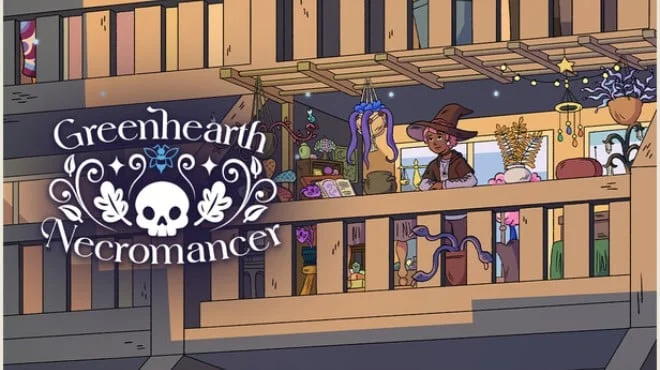
Greenhearth Necromancer is a cozy, semi-idle simulator with elements of magic and light management, where you grow a garden on your balcony, using necromancy to revive plants. Gameplay revolves around tending to plants, balancing resources, and gradual development, allowing you to play actively or leave the process running in the background, returning whenever convenient. Plants dont just grow here they die, return, and change.
You have to monitor water, fertilizer, and the health of the garden, but this routine is complemented by magic, which opens up new ways of development. Withered plants aren't a problem, but an opportunity, as they can be brought back in a transformed form with new properties. The atmosphere is built on calm and rhythm. You can pop in for a while, tidy up, and then leave, letting the garden live its own life. Gradually, the space fills with details, and the process itself begins to feel like a background activity that doesn't require constant attention but provides a sense of development and comfort.
NOTE. Uploaded version: 12 May 2026 [Build 23100413]. This is Full Release and latest version of game. The game is already Pre-Installed and ready to run, read the instruction below.
Key Features
- Semi-idle gameplay with background progression.
- Necromancy for plant development.
- Care and resource system.
- Customizable atmosphere and music.
System Requirements
Minimum
- OS:
- Windows 10 version 21H1 (build 19043) or newer
- Processor:
- x86, x64 architecture with SSE2 instruction set support, ARM64
- RAM:
- 4 GB RAM
- Graphics:
- DX10, DX11, DX12, or Vulkan capable GPUs
- Storage:
- 1 GB available space
Installation Guide
Step-by-step setup process for TENOKE
-
Mount the .iso image — Windows 10/11 mounts it from the right-click menu, otherwise use Daemon Tools or a similar tool.
-
Run
setup.exefrom the disc and install the game — Tenoke builds are already cracked, installation is all it takes. -
If the disc contains a
Tenokefolder, copy its contents into the installed game directory. -
Launch the game from the desktop shortcut (as administrator).
Game Info
- Developer
- Silverstring Media Inc.
- Publisher
- indie.io
- Platform
- PC
- Release Date
- File Size
- 884.51 MB
- Status
- Scene (ISO)
Download Game
Full game
3d3b4bb354183d6ab63c75b8b6059e14
373b743a9bef88b0dcd3e38dedd85e0effee47bcc49dad93a5da68bc522c53b3
Checksums verify the integrity of this specific file. They are not an absolute malware guarantee — always scan downloaded files.
Torrent file ready
Reviews
No written reviews for this game yet.
Rate this repack in the form below and your comment becomes the first review here.






Comments (0)
No comments yet. Be the first to leave one!