
Cosmoteer
Early Access Sold as an unfinished build. Features, content and saves can still change before the full release.
- Platform
- PC
- Release Date
- File Size
- 192 MB
- Downloads
- 30
- Views
- 14,514
- Comments
- 2
- Languages
- english
- Added by
- Added by Admin
Game trailer: Cosmoteer
Screenshots


Description
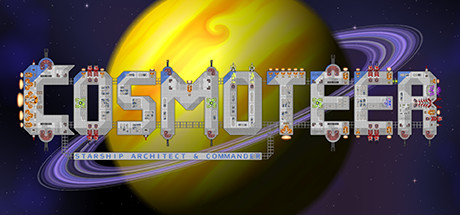
Cosmoteer is an indie game unique in its essence, a spacecraft simulator, where you will need to lead the crew and build a spacecraft that will fully meet your requirements and preferences. From the very beginning, you will need to decide what functions your spacecraft should perform. For example, it can be a warship, or a freighter. Depending on what goals you pursue, the effectiveness of your ship will be determined.
For example, setting enough cargo compartments, you can earn money on the transportation and sale of various goods. In turn, this will allow you to earn money and improve the ship, complete construction, make it more massive, effective, strong and powerful.
Naturally, it is impossible to forget about armaments here. Each time you will be attacked by space pirates, aliens and not only, and you have to defend. And do not think that installing a weapon will solve the problem once and for all — be prepared for the fact that an enemy shell gets into your ship, and possibly even damage important structural elements. Build a ship in such a way that it does not fall apart in space from the first hit.
About This Game
Another important point — in addition to the design of the ship, you have to deal with the crew. At first it can consist of a dozen specialists, and then it can expand to hundreds of people. Everyone will fulfill his mission, benefit and do what he is destined to, but sometimes people may falter, and then the ship’s work may be in jeopardy. Make sure that every member of your crew performs their duties.
And of course, do not forget about exploring the vast world, the cosmic universe, overflowing with other races, planets, galaxies, star systems and more. Travel, explore space and just enjoy your title — the title of commander.
System Requirements
Minimum
- OS:
- 32-bit or 64-bit Microsoft Windows 7 (Service Pack 1 required), Windows 8.1 (8.0 not supported), or Windows 10
- Processor:
- Dual-core Intel 2.0 GHz (or AMD equivalent)
- RAM:
- 4 GB RAM
- Graphics:
- 512MB DirectX 9.1 Graphics Card or better
- Storage:
- 150 MB available space
- Sound Card:
- DirectX compatible sound card
Recommended
- OS:
- 64-bit Microsoft Windows 7 (Service Pack 1 required), Windows 8.1 (8.0 not supported), or Windows 10
- Processor:
- Quad-core Intel 2.5 GHz (or AMD equivalent) or better
- RAM:
- 8 GB RAM
- Graphics:
- 1GB DirectX 11 Graphics Card or better
- Storage:
- 300 MB available space
- Sound Card:
- DirectX compatible sound card
Installation Guide
Step-by-step setup process for P2P Release
-
No installation is needed — this release is fully pre-installed and ready to play, so you can skip setup wizards and long updates entirely.
-
Extract the archive (RAR/ZIP) to a short, Latin-only path like
C:\Games\GameNameusing WinRAR or 7-Zip — and never launch the game from inside the archive, as that is the top cause of launch failures. -
Launch the game via Run Me!.bat (or the main
.exefile) in the game folder. If nothing happens, right-click it and choose Run as administrator.
Game Info
- Developer
- Walternate Realities
- Publisher
- Walternate Realities
- Platform
- PC
- Release Date
- File Size
- 192 MB
- Status
- Pre-installed (Portable)
Download Game
Full game
6966db65bb95f70a2bc38cce325be799
6d61aa6137721d775c4378bd9475a38c67535d0c987ac52ba91ea1a8b544e92e
Checksums verify the integrity of this specific file. They are not an absolute malware guarantee — always scan downloaded files.
Torrent file ready
Reviews
No written reviews for this game yet.
Rate this repack in the form below and your comment becomes the first review here.






Comments (2)