
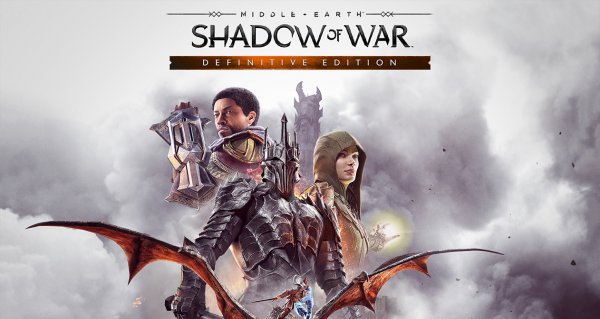
Middle-earth Shadow of War Definitive Edition
- Platform
- PC
- Release Date
- File Size
- 105.04 GB
- Downloads
- 507
- Views
- 28,750
- Comments
- 5
- Languages
- english, french, italian, german, spanish, japanese, polish, portuguese-brazil, russian, arabic, korean, simplified chinese, traditional chinese, multi
- Added by
- Added by Admin
Game trailer: Middle-earth Shadow of War Definitive Edition
Screenshots


Description
Middle-earth Shadow of War Definitive Edition is a third-person shooter whose action takes place in the universe of the Lord of the Rings. In Shadow of War, players get a new Force ring, which they use to resist the most ruthless enemies in Middle-earth — Sauron and his Nazgul. Development and received the Nemesis system from the first part. From now on, this system affects the whole world of the game, making each passage unlike the previous ones. As with other similar projects, Middle-earth Shadow of War Definitive Edition will include all the content that came out both at the time of the release of the game and after With the Definitive Edition players will receive all the latest updates , as well as additions Slaughter Tribe, Outlaw Tribe, Blade of Galadriel and Desolation of Mordor
Key Features
- Slaughter Tribe
- Outlaw Tribe
- The Blade of Galadriel Story DLC
- The Desolation of Mordor Story DLC
- All updates and game improvements to date
System Requirements
Minimum
- OS:
- Windows 7 SP1 with Platform Update
- Processor:
- AMD FX-4350, 4.2 GHz / Intel Core i5-2300, 2.80 GHz
- RAM:
- 6 GB RAM
- Graphics:
- AMD HD 7870, 2 GB / NVIDIA GTX 660, 2 GB
- Storage:
- 70 GB available space
- DirectX:
- Version 11
- Network:
- Broadband Internet connection
Recommended
- OS:
- Windows 10 Creators Update
- Processor:
- AMD FX-8350, 4.0 GHz / Intel Core i7-3770, 3.4 GHz
- RAM:
- 12 GB RAM
- Graphics:
- AMD RX 480, 4 GB or RX580, 4GB / NVIDIA GTX 970, 4GB or GTX1060, 6GB
- Storage:
- 70 GB available space
- DirectX:
- Version 11
- Network:
- Broadband Internet connection
Installation Guide
Step-by-step setup process for CODEX
-
Open the .iso with a virtual drive program (e.g. Daemon Tools) — on Windows 10/11 a double click mounts it on its own.
-
Install the game by running
setup.exeand following the wizard. -
After installation, copy the entire contents of the
CODEXfolder from the disc into the game folder and agree to replace the files. -
Start the game through its usual shortcut, preferably as administrator.
Game Info
- Developer
- Monolith Productions
- Publisher
- WB Games
- Platform
- PC
- Release Date
- File Size
- 105.04 GB
- Status
- Scene (ISO)
Download Game
Full game 6
e46dc767d4fde46e6347953e85ecf024
7d77512edf619a3497e03e34cceb788fefb3d324c8f53aff591be9f76cfc4a87
Checksums verify the integrity of this specific file. They are not an absolute malware guarantee — always scan downloaded files.
Torrent file ready
Reviews
No written reviews for this game yet.
Rate this repack in the form below and your comment becomes the first review here.





Comments (5)