
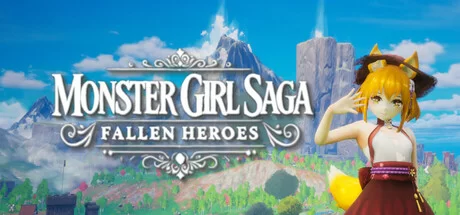
Monster Girl Saga Fallen Heroes
- Платформа
- PC
- Дата выхода
- Размер файла
- 7.2 GB
- Просмотры
- 4 481
- Комментарии
- 1
- Языки
- English, French, German, Spanish - Spain, Russian, Japanese, Simplified Chinese, Traditional Chinese, Portuguese - Brazil, Korean
- Добавил
- Добавил Админ
Трейлер игры: Monster Girl Saga Fallen Heroes
Скриншоты


Описание
In Monster Girl Saga Fallen Heroes, war has shattered the balance of the land, and only those willing to make the hardest choices will survive. As a former hero cast down by betrayal, you must gather allies, master ancient magic, and uncover the secrets buried beneath centuries of conflict. Every step forward brings new challenges, whether facing monstrous warlords, uncovering lost artifacts, or deciding the fate of entire civilizations. The choices you make will shape not only your journey but the destiny of the world itself.
The latest version refines combat mechanics, introducing more fluid animations, expanded skill trees, and a deeper synergy between abilities. New monster girl companions join the roster, each with distinct personalities, combat styles, and hidden backstories to discover. The game world has been expanded, offering more locations to explore, side quests to complete, and legendary weapons to forge. The improved AI ensures battles remain dynamic and unpredictable, making every encounter a test of strategy and adaptability.
Download Monster Girl Saga Fallen Heroes today and immerse yourself in a rich fantasy world where adventure, danger, and destiny await. With a gripping narrative, engaging combat, and a beautifully crafted universe, this is an RPG experience unlike any other. Download the latest version now and shape the fate of a world on the brink of chaos.
NOTE. Uploaded version: 05 February 2025 [v1.1.0 Build 17214063]. This is Full Release and latest version of game. The game is already Packaged in ISO File and ready to run the game after install, read the instruction below.
Системные требования
Минимальные
- ОС:
- Windows 10 or later (64-Bit)
- Процессор:
- Intel® Core™ i3-4160 or AMD Phenom II X4 955
- ОЗУ:
- 4 GB RAM
- Видеокарта:
- NVIDIA® GeForce® GTX 660 or AMD Radeon™ R9 200x with 2GB Video RAM
- Диск:
- 10 GB available space
- DirectX:
- Version 11
- Звуковая карта:
- Stereo
Рекомендуемые
- ОС:
- Windows 10 or later (64-Bit)
- Процессор:
- Intel® Core™ i7-3770 or AMD FX™-9590 or better
- ОЗУ:
- 8 GB RAM
- Видеокарта:
- NVIDIA® GeForce® GTX 1060 or AMD Radeon™ RX 480 with 3GB Video RAM
- Диск:
- 10 GB available space
- DirectX:
- Version 11
Инструкция по установке
Пошаговый процесс установки для TENOKE
-
Смонтируйте .iso-образ — в Windows 10/11 он подключается из контекстного меню, в остальных случаях подойдёт Daemon Tools или похожая программа.
-
Запустите
setup.exeс диска и установите игру — сборки Tenoke взломаны заранее, нужна только установка. -
Если на диске есть папка
Tenoke, скопируйте её содержимое в каталог установленной игры. -
Запустите игру с ярлыка на рабочем столе (от имени администратора).
Информация
- Разработчик
- PawStream Games
- Издатель
- PawStream Games
- Платформа
- PC
- Дата выхода
- Размер файла
- 7.2 GB
- Статус
- Сцена (ISO)
Скачать игру
Полная игра
40550c72a7c03681e52f10ff55422f45
1494330e0a6abfa0a51432ebba767aef9e376db259fcbc7085776d3f671ae6b3
Контрольные суммы подтверждают целостность именно этого файла. Это не абсолютная гарантия от вредоносного ПО — всегда проверяйте загруженные файлы.
Торрент-файл готов
Обзоры
Письменных отзывов об этой игре пока нет.
Оцените этот репак в форме ниже — и ваш комментарий станет первым отзывом здесь.





Комментарии (1)
1. KEY MAPPING Support (Keyboard Only)Pressing the right X button will reset the selected key.The Reset All Settings button at the bottom of the screen will reset all settings, including those from other tabs.If there are duplicate keybindings, a confirmation window will appear, allowing the user to decide. Please reassign any conflicting keys.If the in-game key UI does not update, please restart the game.2. Inventory Item Movement is Unified to Drag & DropExample: To discard an item, drag it outside the inventory window.Please leave any bug reports or feedback in the comments. We will continue to update the game regularly. Thank you!1.KEY MAPPING support (keyboard only)You can reset the key by pressing the X BUTTON on the right side of the screen.Reset All settings at the bottom of the screen resets all settings, including other tabs.If there is a duplicate key, a window will pop up asking if you want to continue, and the user can choose whether to continue. Please find the duplicate key and assign it to another key.If the key UI does not change in the game, please restart the game.2. Move items in the inventory by dragging.EX) To discard an item, drag it out of the inventory window.Please leave bug reports or feedback in the comments. We will continue to update. Thank you.1. キーマッピングのサポートTo the right, let\'s do the talking, let\'s do the talking.画面下部の 「すべての設定をリセット」ボタンを押すと、他のタブを含むすべての設定ががearly transformationされます。As for the heavy lifting, がある場合、確認ウィンドウが表示され、プレイヤーが選択できます。It\'s important to do it again and again.ゲーム内のキーUIが更新されない場合は、ゲームを再起movementしてください。2. Immerse yourself in the motions of your friends and family.Example: アイテムを捨てる場合、インベントリの外へドラッグしてください。バグ報告やフィードバックはコメント㬄にお願いします。継続的にアップデートしていきますので、よろしくお願いいたします!